 PoppyDisk User Guide
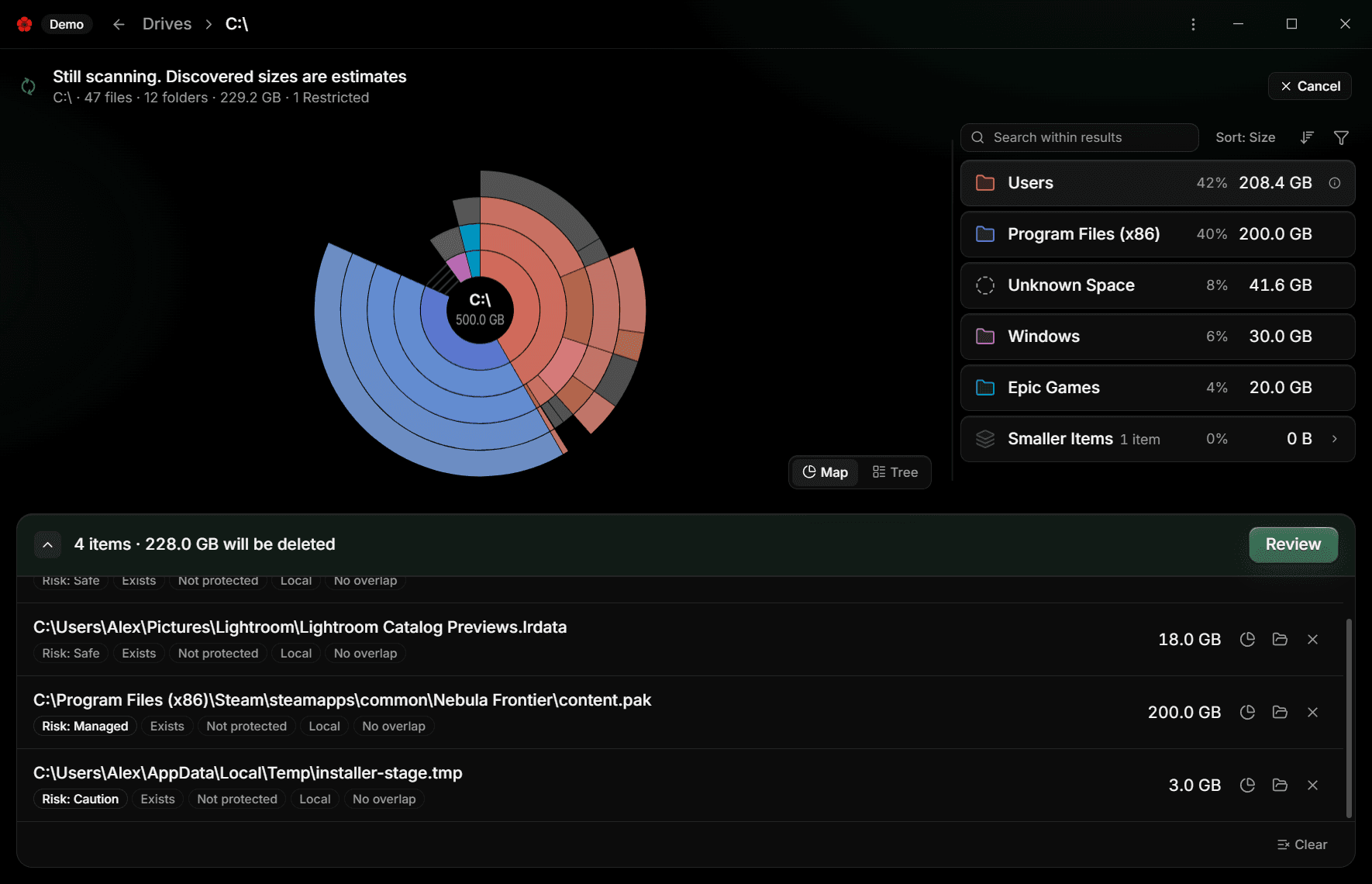
Understand Risk: Safe, Caution, Managed, Protected
Why an item carries the grade it does, and why some cannot be collected.
When you finish, you know why an item in the Cleanup Basket carries the grade it does, and why some items cannot be collected at all.
PoppyDisk assigns Risk itself
Every item in the Cleanup Basket carries exactly one Risk level, assigned by PoppyDisk from where the item lives, not by you. A folder takes the highest Risk found anywhere inside it, so a folder of holiday photos that also contains one system file is graded like the system file. The Deletion Review groups items by Risk so you read the riskiest group first. See Review before you delete.
The rules are applied every time, from the current state of your PC. If a saved basket entry was graded one way last week and Windows has changed since, the current grade wins.
Safe
Your own content: files and folders under your user profile's document, picture, video, download, and similar folders. Deleting them affects only you. Safe is not a promise that you do not want the file; it is a statement that no program depends on it.
Caution
Application data and caches, such as the contents of a temporary folder or an app's local data. Deleting them is usually harmless, but the app that wrote them may need to rebuild them or may lose a setting. Look at the path before you confirm, and if an app is running, close it first.
Managed
An item another application looks after: a game in a Steam or Epic Games library, a cloud sync folder, a Docker or virtual machine image, an app folder under Program Files. Managed items can be collected and deleted, but the safer path is usually through the owner, which keeps its own records straight. The Deletion Review repeats the owner's warning before you confirm. See Clean through the app that owns the files.
Protected
Places PoppyDisk refuses to touch, because deleting from them can break Windows or PoppyDisk itself:
- Every Drive root.
- The Windows folder and everything under it.
- The roots of your user profile, Program Files, and ProgramData.
- The Windows Store app packages, the Recycle Bin's own storage, System Volume Information, and the page, hibernation, and swap files.
- PoppyDisk's own install folder.
Protected is an enforced refusal, not a warning. A Protected item cannot be added to the Cleanup Basket, by menu, by keyboard, or by dragging; PoppyDisk answers Protected items cannot be added. A saved entry that current rules now grade Protected is excluded at review. There is no setting, mode, or prompt that changes this, and no article in this guide describes one. What lives in those places is cleaned through Windows: see Clean through the app that owns the files.
Where Risk is decided
The grades are decided in PoppyDisk's Rust core, not in the window you see, and they are re-checked at every step: when an item is added, when the basket is reconciled at launch, and again when the Deletion Review revalidates each item. The interface can only show a grade; it cannot lower one. See How administrator access works for the same principle applied to permissions.