 PoppyDisk User Guide
Read your Recovered Space report
What was deleted, what failed, and how much space actually came back.
When you finish, you know exactly what was deleted, what failed, and how much space actually came back.
The report
After a deletion, the Deletion Review shows the Deletion report. Its headline is the Recovered Space: the bytes Windows confirmed it gave back, and nothing else. PoppyDisk never reports recovery in advance and never counts a byte Windows did not confirm.
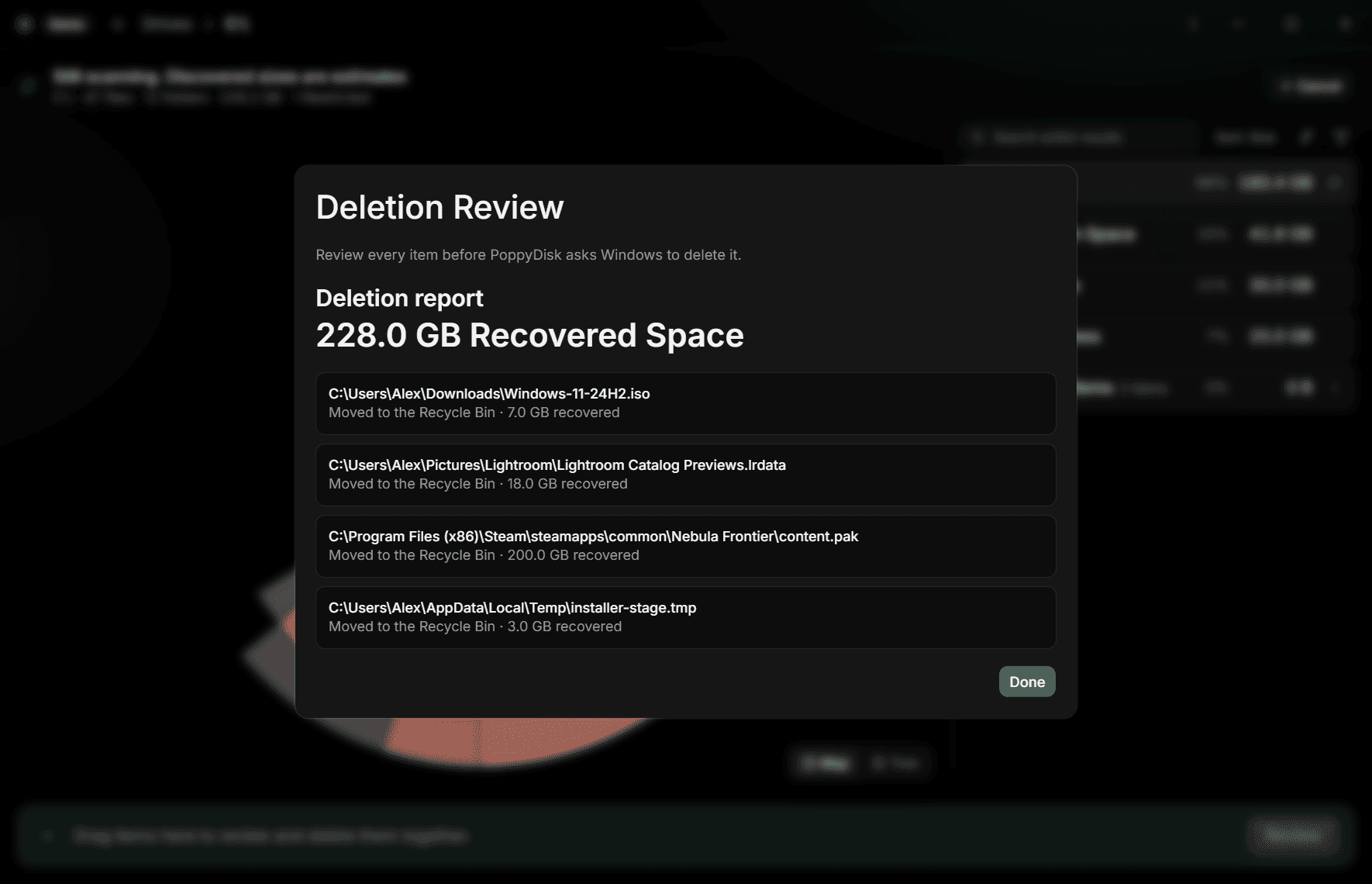
Under the headline, every item you confirmed has its own line:
- Moved to the Recycle Bin, with the bytes recovered.
- Permanently deleted, with the bytes recovered.
- Permanently deleted instead of moved to the Recycle Bin, when you chose the Recycle Bin but the item's source has none.
- A failure in red, with the reason Windows gave, or Windows could not delete this item.
Two notices can sit above the list. Windows stopped before every item was processed. means the operation ended early and the items after that point were not attempted. A follow-up warning names anything Windows asks you to deal with afterwards.
Choose Done to return to the Scan.
Why the total can be smaller than you selected
The review showed an expected figure. The report shows what really came back, and the two can differ:
- Hard Links. A hard-linked item was counted at 0 B expected, because another path still references the same data. Deleting one path frees nothing until every path is gone. See What the sizes mean.
- Failed items. An item Windows could not delete recovers nothing, and its line says why.
- Cloud-only files. They occupied almost no local space, so removing them returns almost none.
- Changed items. An item that changed between review and deletion was excluded rather than deleted.
After the report
PoppyDisk updates the Scan and the Cleanup Basket to match the result. Deleted items leave the map and the basket; items that failed stay in the basket, so you can fix the cause and review again.
For a failed item, start with the reason on its line: a file held open by a running app, a location that needs its owner, or a Cloud-only file that would have to be downloaded first. See Fix Cleanup Basket and deletion problems.